Tell the Norway roadtrip planner what you want to see
Planning a Norway roadtrip? Choose from fjords, northern lights, glaciers, wildlife, hiking, stave churches, beaches, scenic drives, and more. Add activities — kayaking, boat tours, easy walks, hard hikes, fishing, spas. The planner only includes places that match what you selected. Everything else drops out.
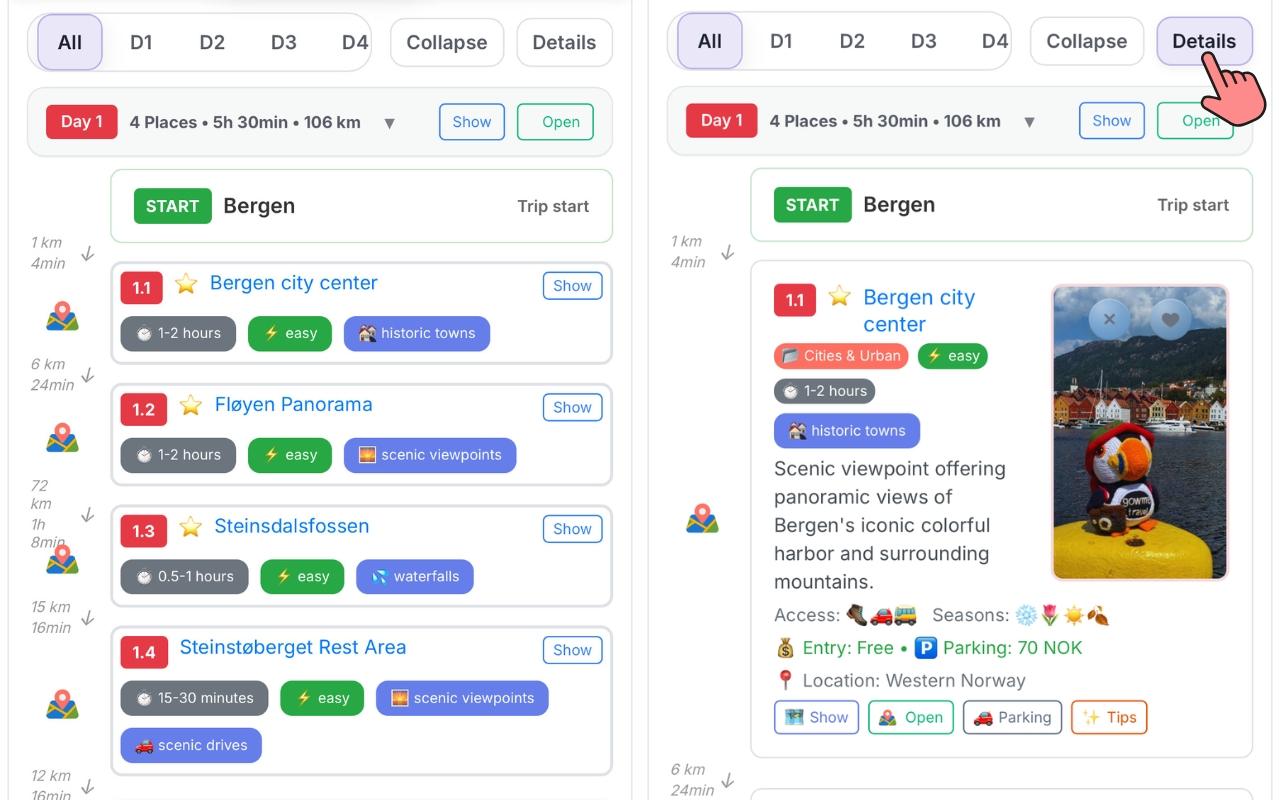
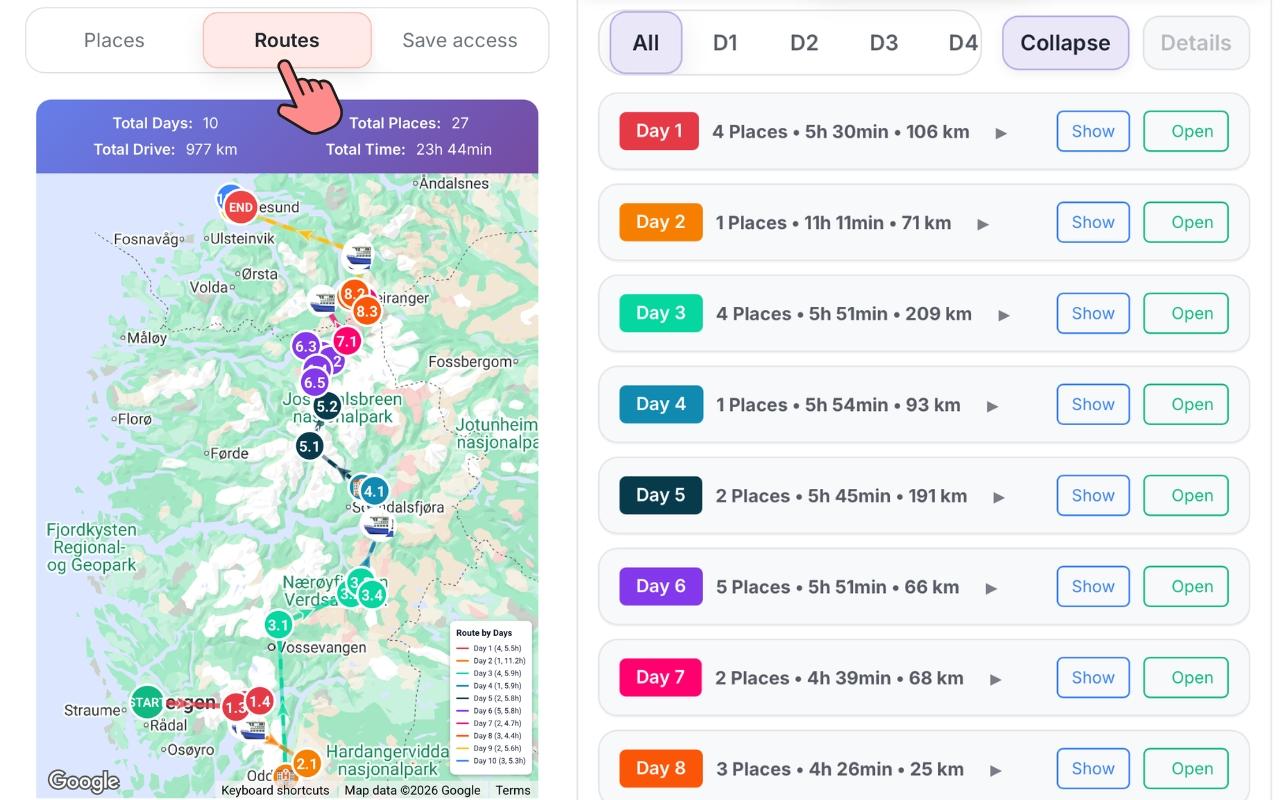
Your complete day-by-day Norway roadtrip itinerary
Every day has a clear sequence of places, realistic drive times between them, and a suggested overnight town. The planner looks at what fits in your activity-hour budget for the day — you set whether you want 2, 4, 6, 8, or 10 hours of active time — and arranges stops accordingly.
No guesswork about what fits in a day or how far things actually are from each other. The route summary shows total days, total places, total kilometers, and total drive time upfront — so you can immediately see if you need more or fewer days.
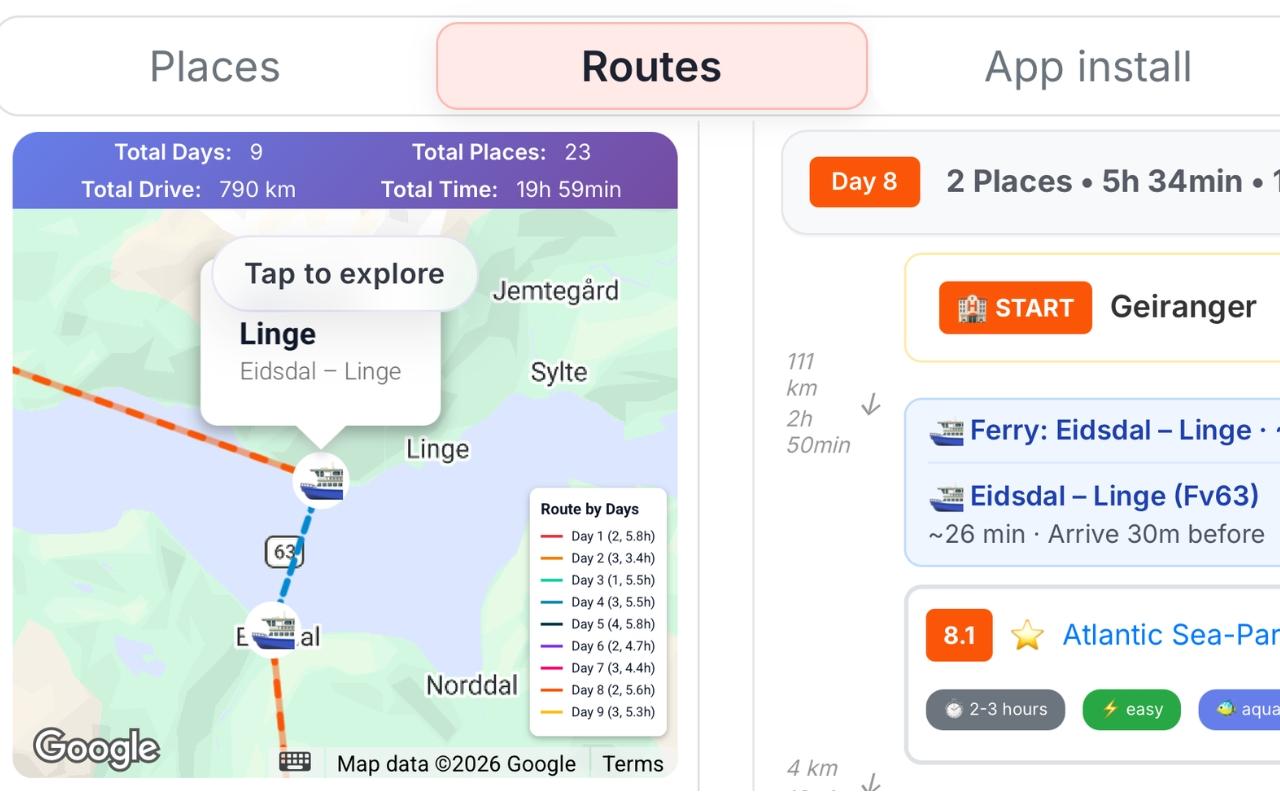
Ferries are part of the route
Where your route crosses a fjord, the ferry connection appears directly in the day plan — with the crossing name, estimated crossing time, and links to the start of the ferry. If a ferry is seasonal and may not run on your dates, you see that too. No surprises at the dock after a two-hour drive.
Big hikes get a full day, automatically
Trolltunga, Preikestolen, Kjerag — these are dedicated days in the schedule. The planner doesn't try to squeeze a 10-hour hike between two other stops. They get the space they need, and the days around them are planned accordingly.
See what didn't fit — and why
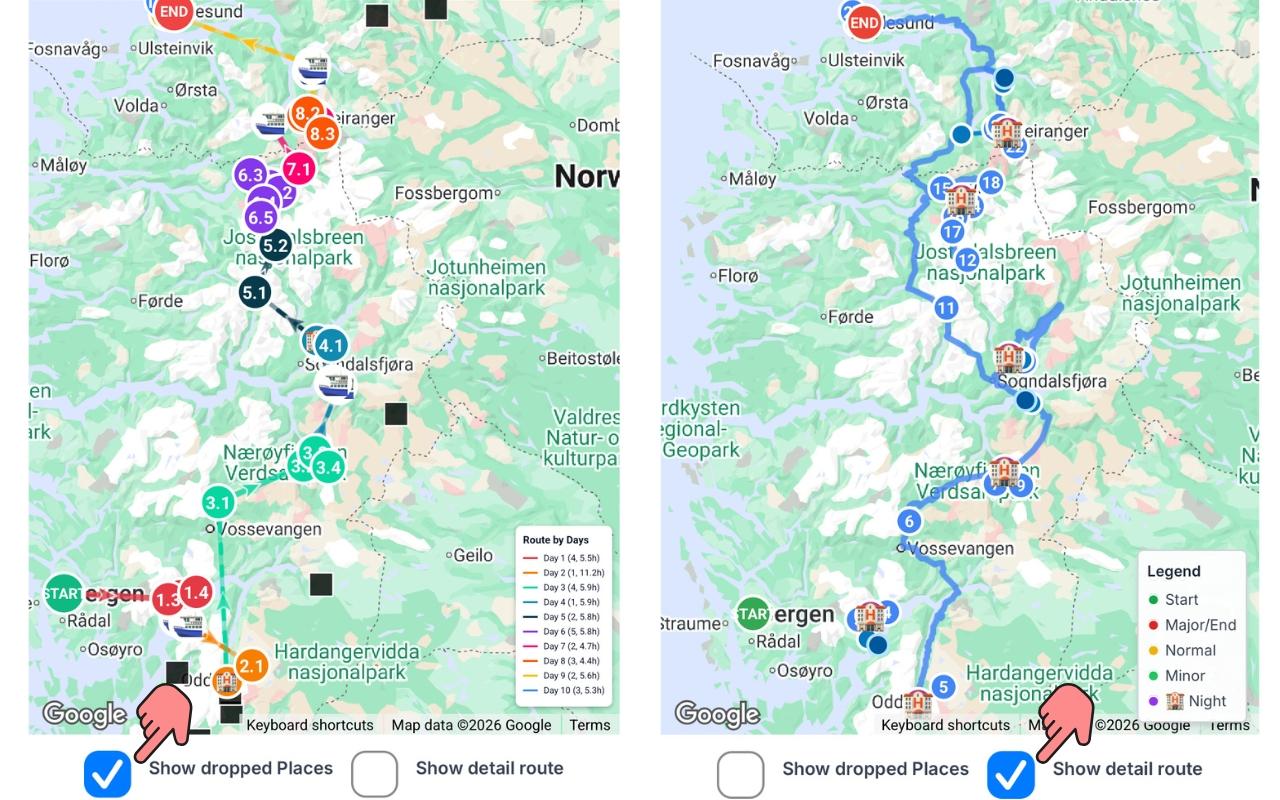
After the route is generated, turn on Show dropped places to see which locations couldn't be included. Each one shows the reason: outside the route corridor, didn't fit the daily time budget, seasonal mismatch. If a dropped place matters to you, you can adjust the number of days, travel intensity, or start point — and regenerate.
When you add days or change how long your trip runs, you can also choose among route alternatives for parts of the itinerary — different corridor options that still match your interests.
Turn on Show detail route to draw the actual road on the map (the path you'd drive), updated in real time as you toggle the view. Total drive distances in the planner are usually within about 5–10% higher or lower than Google Maps for the same sequence of stops — normal variance between routing engines and map data.
Some road segments may be closed in real time (construction, weather, restrictions) and might not yet appear as blocked in the preview. Ferry crossings on your plan can be seasonal — always confirm current timetables before you travel.
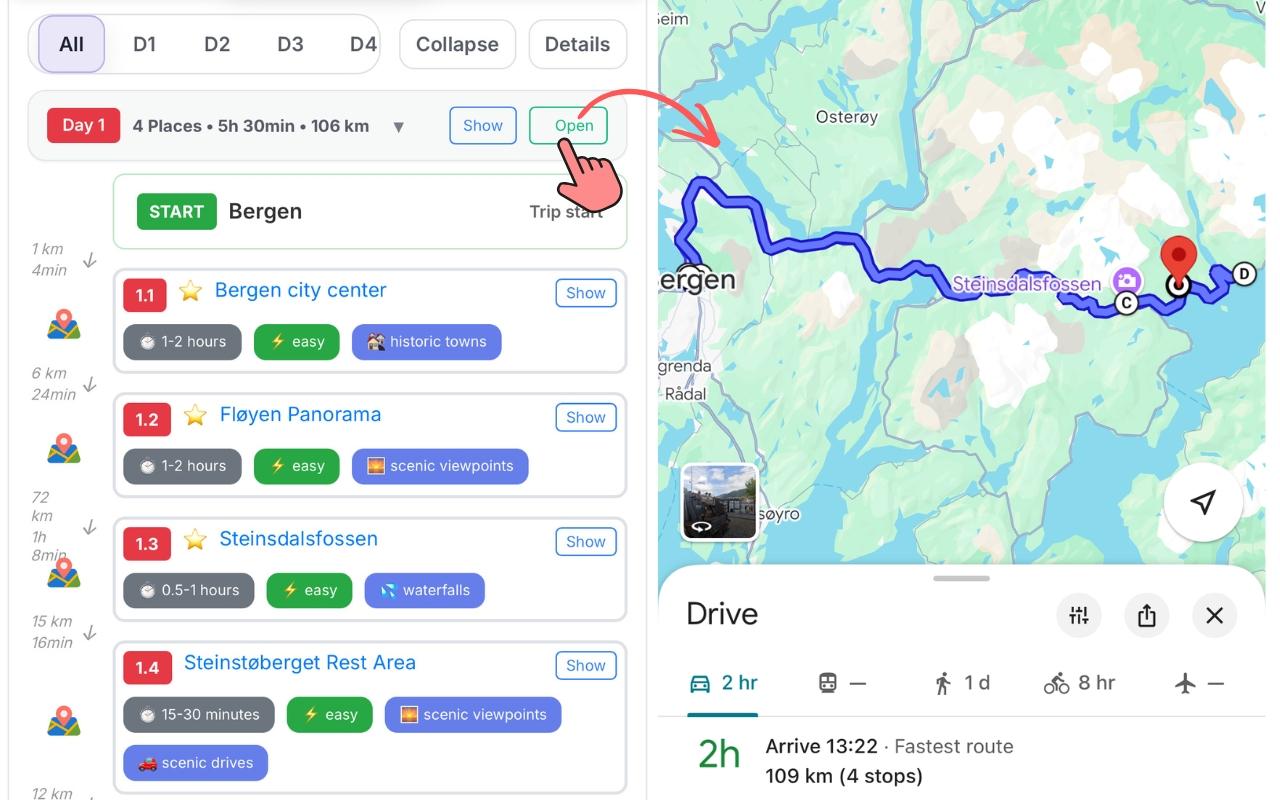
Getting around Norway — navigate each day live in Google Maps
Use Open on any day to build a live Google Maps route from the first stop to the last — open it on your phone and navigate in real time. You can also tap the map icon next to any individual location to open just that point in Google Maps directly.
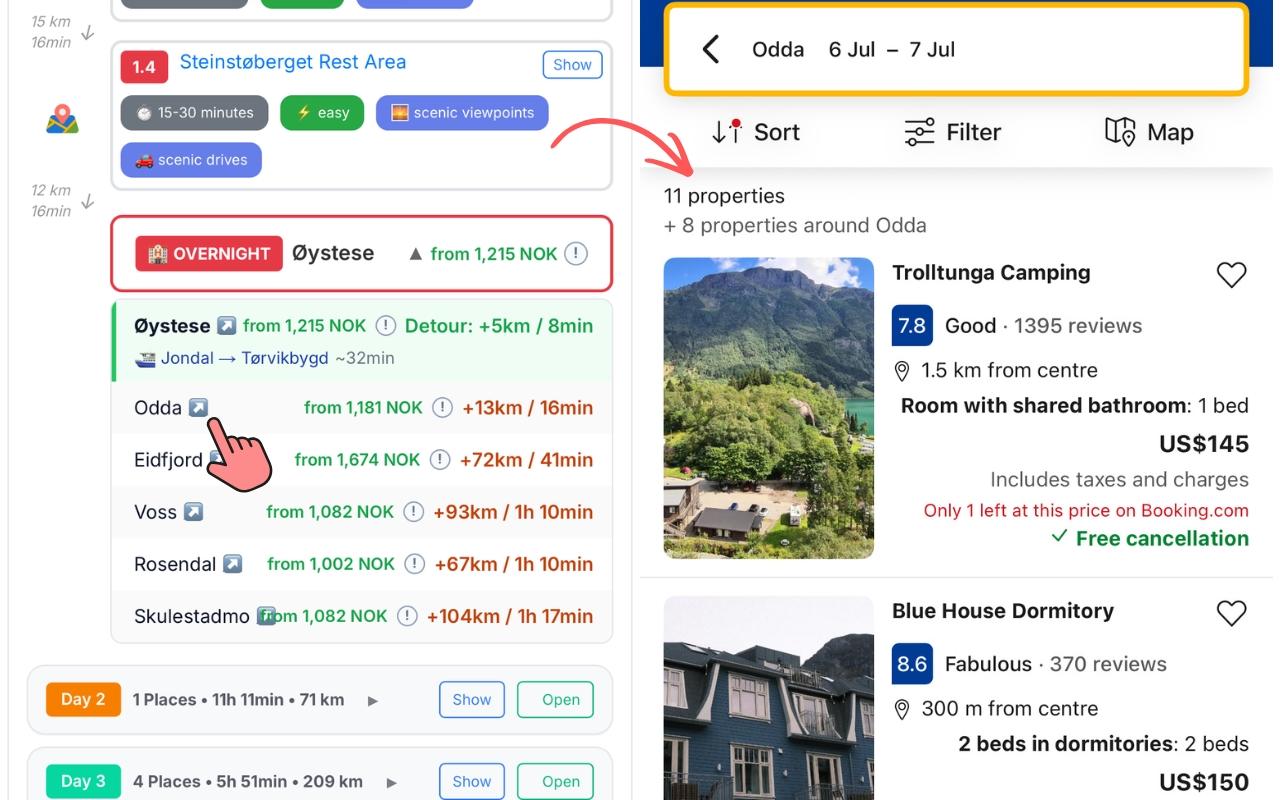
Your Norway route, your way
Don't like an overnight town? The planner shows alternatives with detour distance and time — swap with one tap. Want to remove a place from a specific day, or restore one you deleted? It's a single action. Alternative locations for each day are also available — places that logically fit but didn't make the main route.
Need to change your travel dates, number of days, or travel intensity? Open Trip Settings, update what you need, hit Apply — the route rebuilds in seconds.
Frequently asked questions
- Does it suggest places or do I have to choose them myself?
- You pick what kind of trip you want — fjords, hikes, wildlife, culture, or any combination. The planner selects the specific locations that match and builds the route from those. You don't need to know individual place names upfront.
- Can I set my start and end city?
- Yes — any Norwegian city, or fly in from abroad. You can set different start and end points for one-way trips, or the same city for a loop.
- What if I don't know my exact dates yet?
- Pick a season instead: summer, winter, or all year. The planner filters out places that are seasonally inaccessible based on your selection.
- Does it work if I'm traveling by public transport?
- Right now the planner's algorithm only calculates and optimizes routes for private transport (your own vehicle). We're working on improving it for public transport.
- Can I remove or restore individual places after generating?
- Yes — remove any location from the route, or restore one you deleted. The day adjusts around the change.
- What happens if a ferry on my route is seasonal and might not run?
- The planner flags seasonal ferries in the route. You'll see it before you go — not when you arrive at an empty dock.
- How quickly does it generate a route?
- Seconds. The calculation runs on a dedicated backend — there's no waiting.
- Can I get a loop route or does it have to be one-way?
- Both options are calculated. You choose which variant to use.
See the full list of Norway places the route is built from: What to see in Norway →