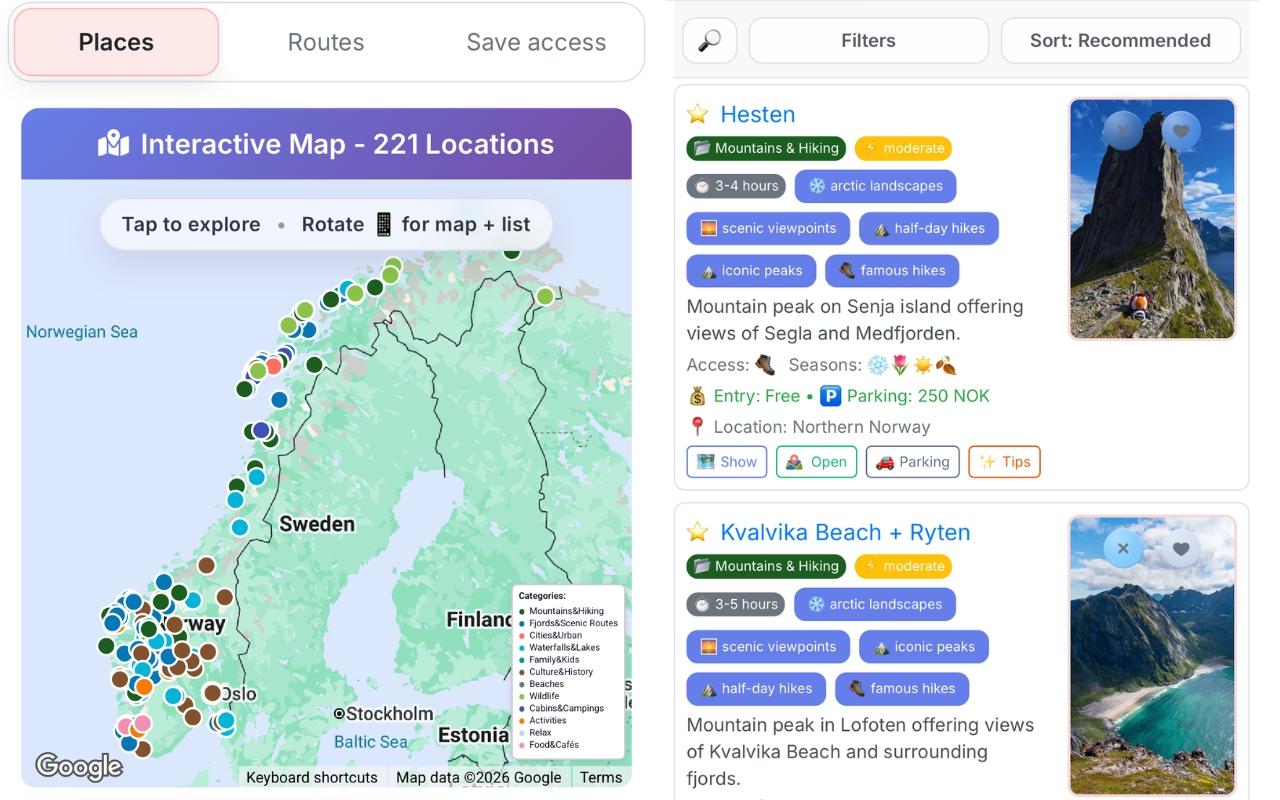
Pick your interests — see only places that match
Select what matters — fjords, waterfalls, hikes, beaches, wildlife spots, stave churches, scenic roads, and coastal villages. The matched count updates as you pick, so you immediately see whether your selection is broad or focused. These preferences are part of the Norway trip planner setup, and you can adjust them later without starting over.
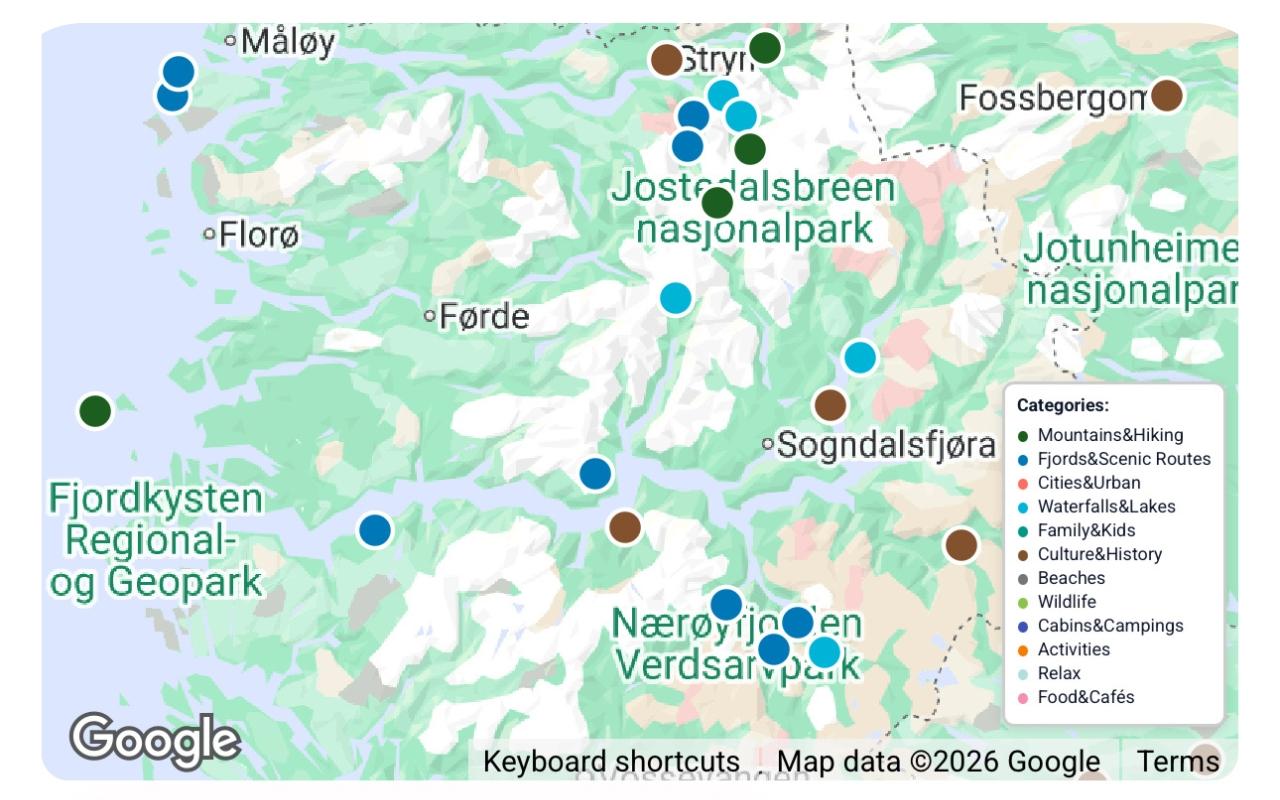
See where your matched places fall on the map
After applying your settings, matching places appear as pins on the Norway map. You can zoom in, spot where the strongest clusters are, and quickly see whether your trip leans north or south. The map and place list update as your settings change.
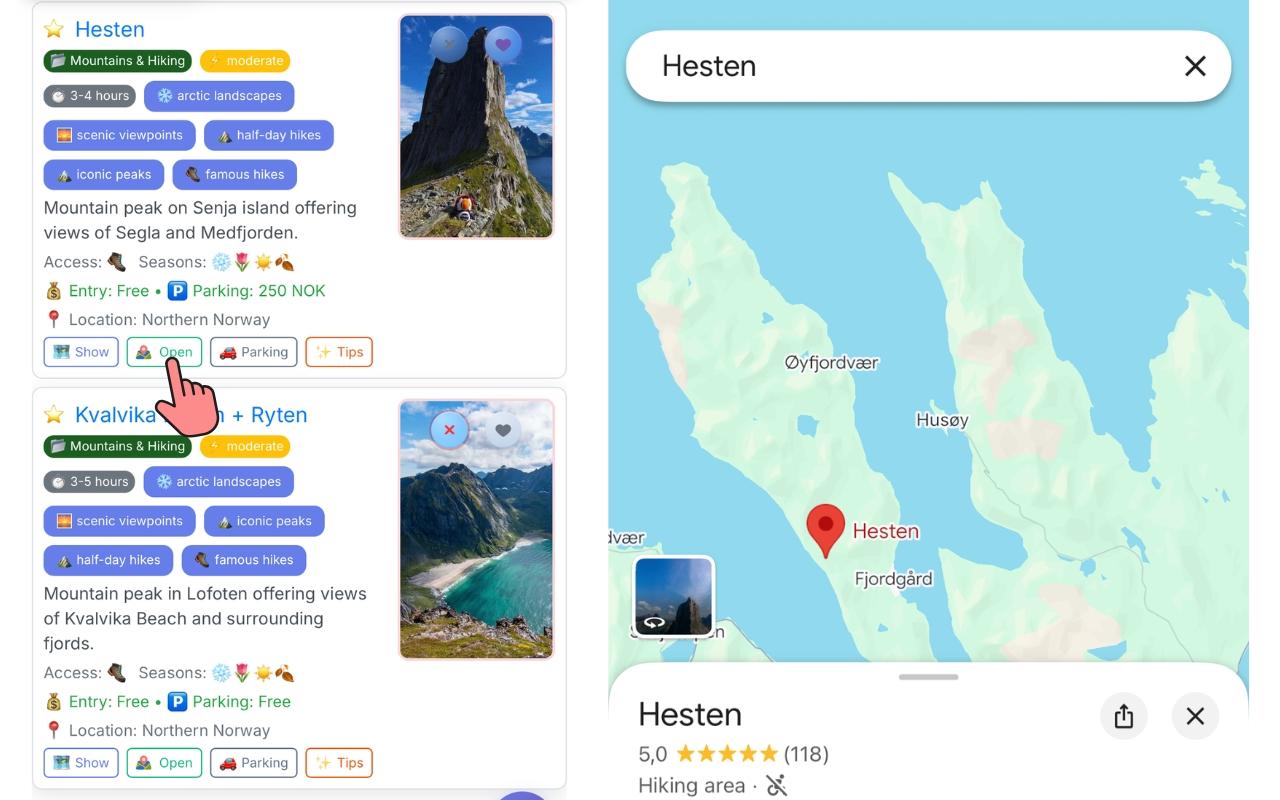
Open any place in Google Maps instantly
Each place card lets you open the exact pin in Google Maps on your phone or browser. No copying coordinates and no guessing the correct place name. If a place has a separate parking point, you can open that too. It's useful for checking access roads, opening Street View, or sharing the location with someone traveling with you.
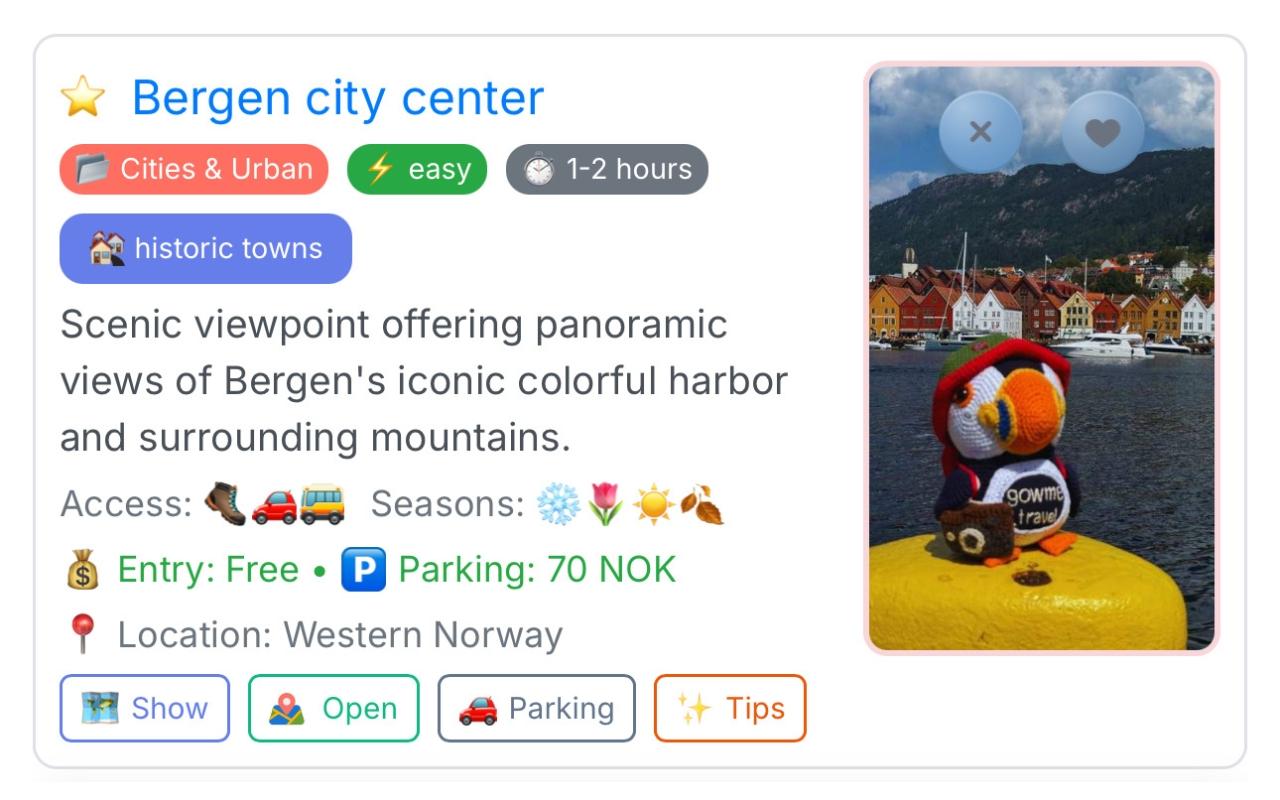
Key details on every place card
Open a place card to see the essentials in one view: tags, time estimate, seasonal notes, entry fee, parking info, and quick actions like Show, Open, Parking, and Tips. Instead of spending 20 minutes cross-checking maps and blogs, the important details are already together.
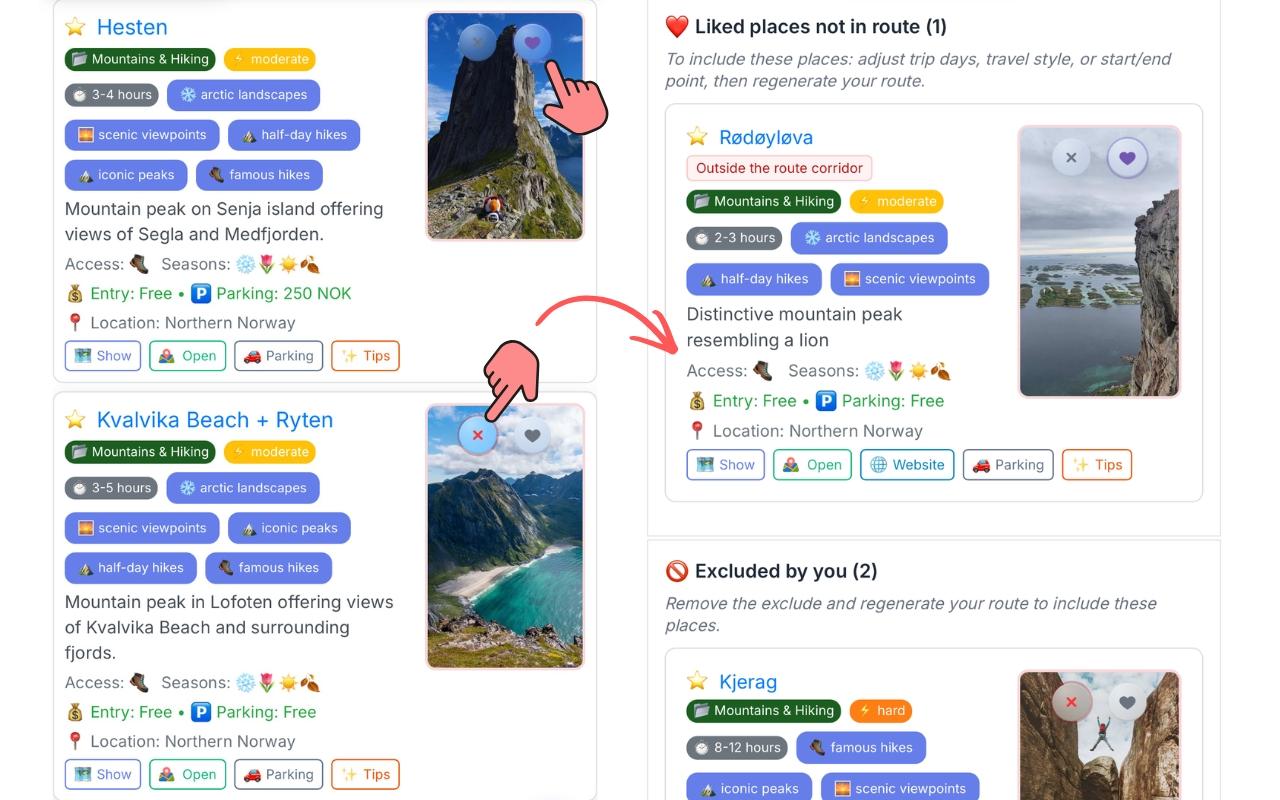
Like or exclude individual places
See a place you definitely want in the route? Like it — liked places get higher priority when the route planner builds your itinerary. See one you're not interested in? Exclude it — excluded places won't appear in your route. If a liked place doesn't make it in because it sits outside the route corridor, the planner shows that clearly so you know what happened and can adjust.
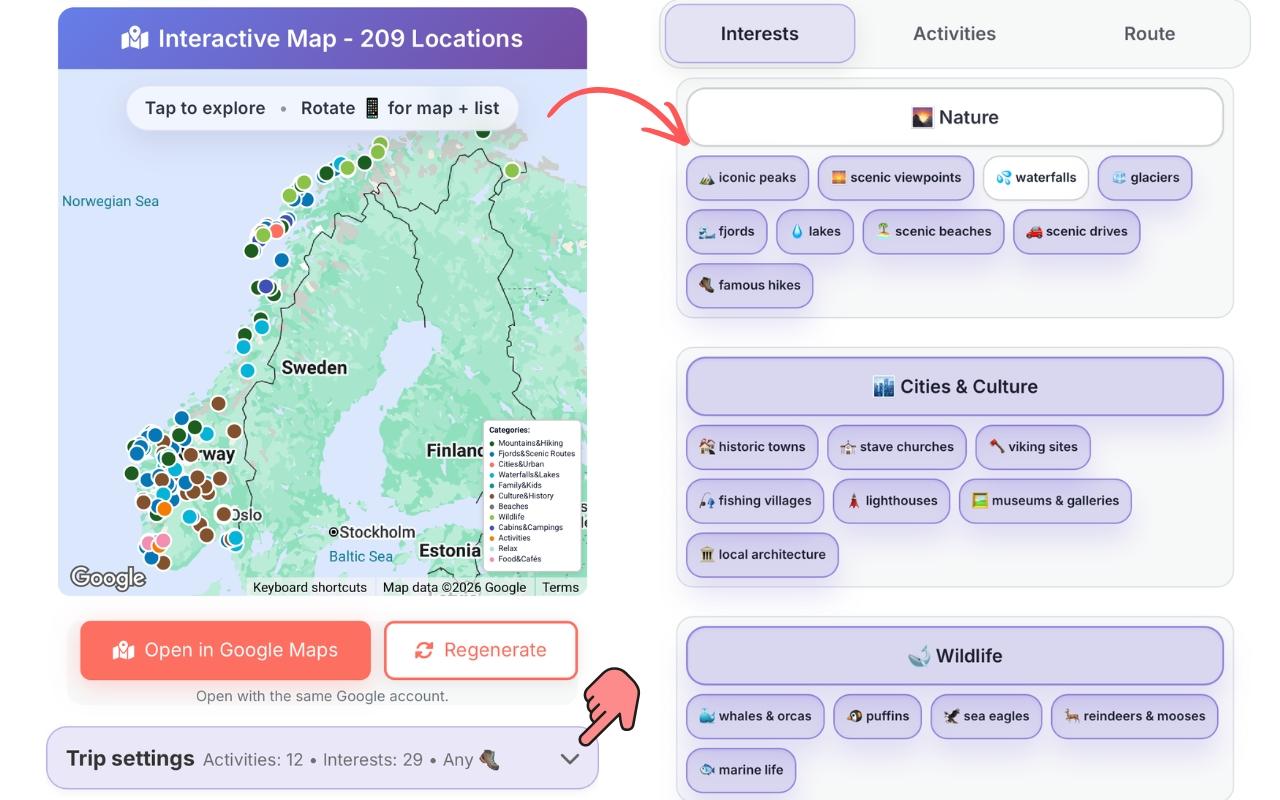
Apply new settings without starting over
Want to remove an interest, switch activities, or adjust route settings? Open Trip Settings, make the change, and apply it. The place list and map update without starting over, and the route rebuilds around your new selection in seconds.
Frequently asked questions
- How many places are in the database?
- 200+ curated Norwegian locations, with more added regularly.
- Can I see places outside my matched set?
- You can expand or change your interests at any time to see more — the counter tells you immediately how many would match.
- Does "liking" a place guarantee it ends up in my route?
- It increases the priority strongly — but if a liked place is very far outside your route corridor, the planner may still exclude it and show it as dropped. You can adjust the route to accommodate it.
- Where does the entry fee and parking data come from?
- It's manually researched and updated by us. Norway's pricing changes regularly — we aim to keep it current and flag entries where pricing is uncertain.
- Can I filter by region — just Lofoten, just Bergen, etc.?
- Yes — set your start and end points in the trip planner and the matched places will focus to that region. More granular region filters are in development.
- Is all this available on mobile?
- Yes — the places view, map, and core place details are optimized for mobile. For the best map experience, horizontal mode works best.
Want to see all Norway places in one overview? What to see in Norway →